The Quiet Tenants in Your Home: A 20-Minute AI Audit, Room by Room
Most UK homes did not sit down and decide to install artificial intelligence. It arrived in the phone contract, the hand-me-down smart speaker, the energy app, the doorbell, the banking app and the photo library that recognises your cousin before you do. That is not a scandal. It is just how consumer tech works now. But it does mean your house may be running a quiet tenancy arrangement you never explicitly agreed to.
The point of this audit is not to unplug everything and live like it is 1998. It is to know what you own, check what it keeps, and decide whether it earns its place. Twenty minutes, one room at a time. Set a timer, make a brew, and treat it like a tenancy review rather than a security scare.
The ground rules
You are looking for three things in each room: what data is collected, where it goes, and whether you still need the feature. You are not trying to achieve perfect privacy. You are trying to remove the stuff you forgot about and tighten the stuff you actually use.
Keep a simple note on your phone with three columns: keep, limit, remove. If a device is doing a job you value, keep it and adjust it. If it is doing a job you cannot explain, limit it. If it is doing a job you never wanted, remove it.
Hallway and front door: the doorbell, lock and alarm
Start where the house meets the street. Video doorbells are brilliant if you get a lot of deliveries and less brilliant if you have forgotten who else can see the clips. Open the companion app and check three things: motion zones, audio recording, and shared users.
Motion zones are the difference between watching your path and watching the pavement. Audio recording may be on by default; switch it off if you do not need it. Shared users is the one people forget. If your former flatmate or a builder still has access, remove them. Check clip retention too. Do you need 30 days of cloud video, or would 7 do?
Smart locks and alarms deserve a quick look at who holds a digital key and whether the app has location access it does not need. If you rent, do not remove a landlord's alarm or doorbell without permission. Ask instead. A polite email is cheaper than a deposit dispute.
Living room: the speaker, the TV and the streaming stick
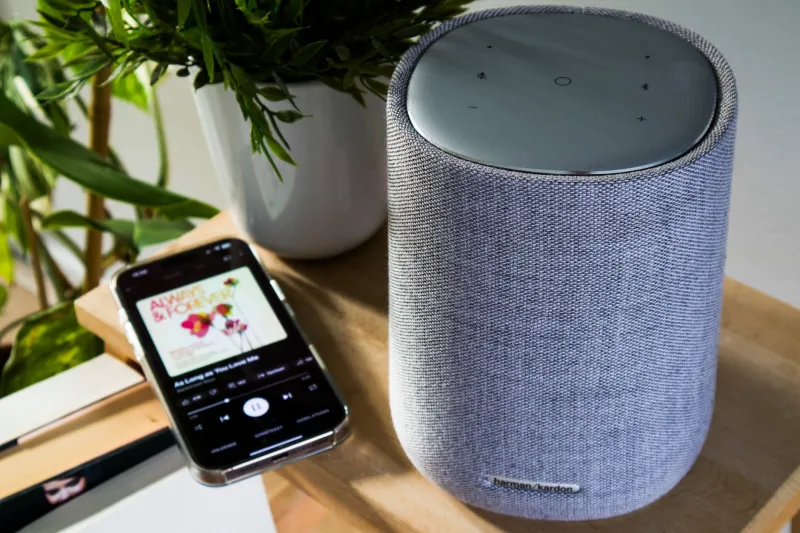
Smart speakers are useful, but they are also little data collectors with good manners. In the speaker app, look for voice recordings, drop-in or calling settings, routines, and skills that have access to your account. Delete old voice recordings if you do not need them. Turn off drop-in if it makes you uneasy. Check whether purchases are allowed by voice without a PIN.
Smart TVs are the quiet one. Many collect viewing data, sometimes called automatic content recognition. Dig into the TV's privacy settings and switch off what you do not need. Streaming sticks and consoles have their own ad-tracking settings. You do not have to become a hermit. Just make the telly earn its place.
If you have a voice assistant in the living room, ask yourself a practical question: is it there to help, or is it there because it came free with a broadband deal? Both are fine. Just know which one applies.
Kitchen: energy, smart plugs and the fridge that wants an account
Kitchen gadgets are where AI often hides behind a sensible-sounding job. Smart meters and energy apps can show half-hourly usage, which is genuinely useful for spotting a dodgy freezer. But check the app's data access and marketing preferences. If you have solar panels, a battery or an EV charger, look at which third-party services still have access to your energy data.
Smart plugs and bulbs are low-risk but multiply quickly. Open the app and remove devices you no longer own. Check whether the app has location access or contacts access it does not need. If a gadget came with a subscription you forgot about, cancel it. The same goes for the smart fridge or washing machine app you installed once and never opened again.
Bedroom: the phone is the biggest showroom
The phone is not a room, but it is the busiest AI showroom in the house. Do this bit sitting on the bed with the charger plugged in. Check location history, ad tracking, microphone and camera permissions, and the assistant's listening settings. On iPhone and Android, the privacy dashboard will show you which apps have used location, microphone or camera recently. That list is often revealing.
Then look at your photo library. Face grouping, shared albums and location metadata are all useful, but they are also a quiet filing system. If you use cloud backup, check what is syncing. If you have old screenshots of bank details or passports, delete them. Your future self will thank you.
Banking apps deserve a separate minute. They use AI for fraud checks and spending insights. That is usually a fair trade, but check whether you have opted into marketing or data-sharing features you do not remember. If you use open banking apps, review which accounts are connected. Remove the ones you no longer use.
Home office or box room: laptops, routers and meeting tools
If you work from home, check the router and the laptop. On the router, look for a guest network for smart devices and change the admin password if it is still the one on the sticker. On the laptop, check browser extensions and AI meeting tools. If a tool records and transcribes calls, make sure you know where those transcripts go and who can see them.
If it is a work laptop, do not start deleting things without checking with IT. Your employer is the data controller for that kit, and a quick message to the service desk is the sensible move.
Your UK GDPR rights, in plain English
Under the UK GDPR and the Data Protection Act 2018, you have rights you can use without a solicitor. You can ask an organisation for a copy of your personal data, usually called a subject access request. You can ask for inaccurate data to be corrected. You can object to some types of processing, especially direct marketing. You can ask for deletion in some circumstances, though it is not an absolute right. You can also ask for data you provided to be ported to another service where that applies.
A subject access request is free in most cases and should be answered within one month, though complex requests can take longer. You do not need to quote legal articles. A short email to the privacy team or data protection officer is enough: please tell me what personal data you hold about me, why you hold it, and who you share it with. If you are unhappy with the response, you can complain to the Information Commissioner's Office.
The tenancy review
When the timer goes, you will probably have a small list rather than a surveillance panic. That is the point. Keep the devices that do a real job. Limit the ones that are useful but nosy. Remove the ones that arrived in a box and never left. Your house can still be a showroom. Just make sure you are the one holding the keys.